
Digital Manufacturing News & Events
ModuleWorks Releases 2025.04 Software Components
Multi-Axis Edge Finishing - Deburring
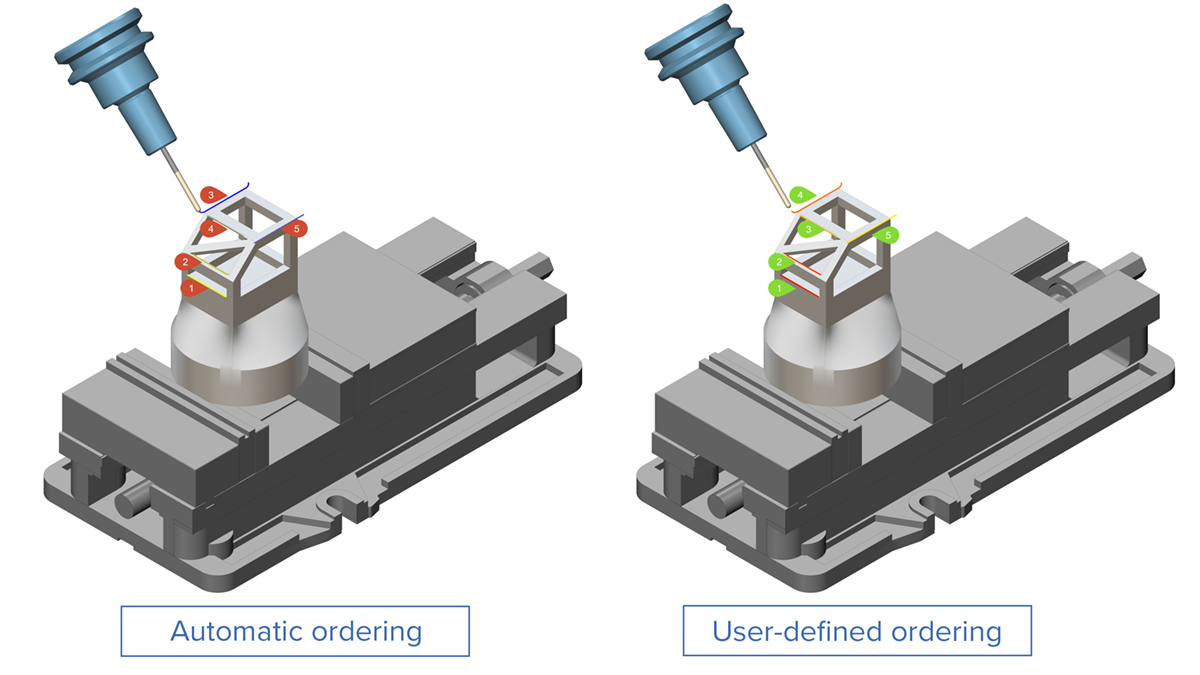
User-Defined Edge SequenceWith automatic sorting, it is often difficult to meet the deburring requirements of each part because the predefined order does not always match the specific needs of the job.
The ModuleWorks 2025.04 release introduces a practical alternative to automatic sorting: Users can now preserve the input order of the curves, and the resulting toolpath is sorted accordingly. This gives users more flexibility, enabling them to machine edges in their preferred sequence to improve overall machining efficiency and precision.
Multi-Axis Edge Finishing - Deburring
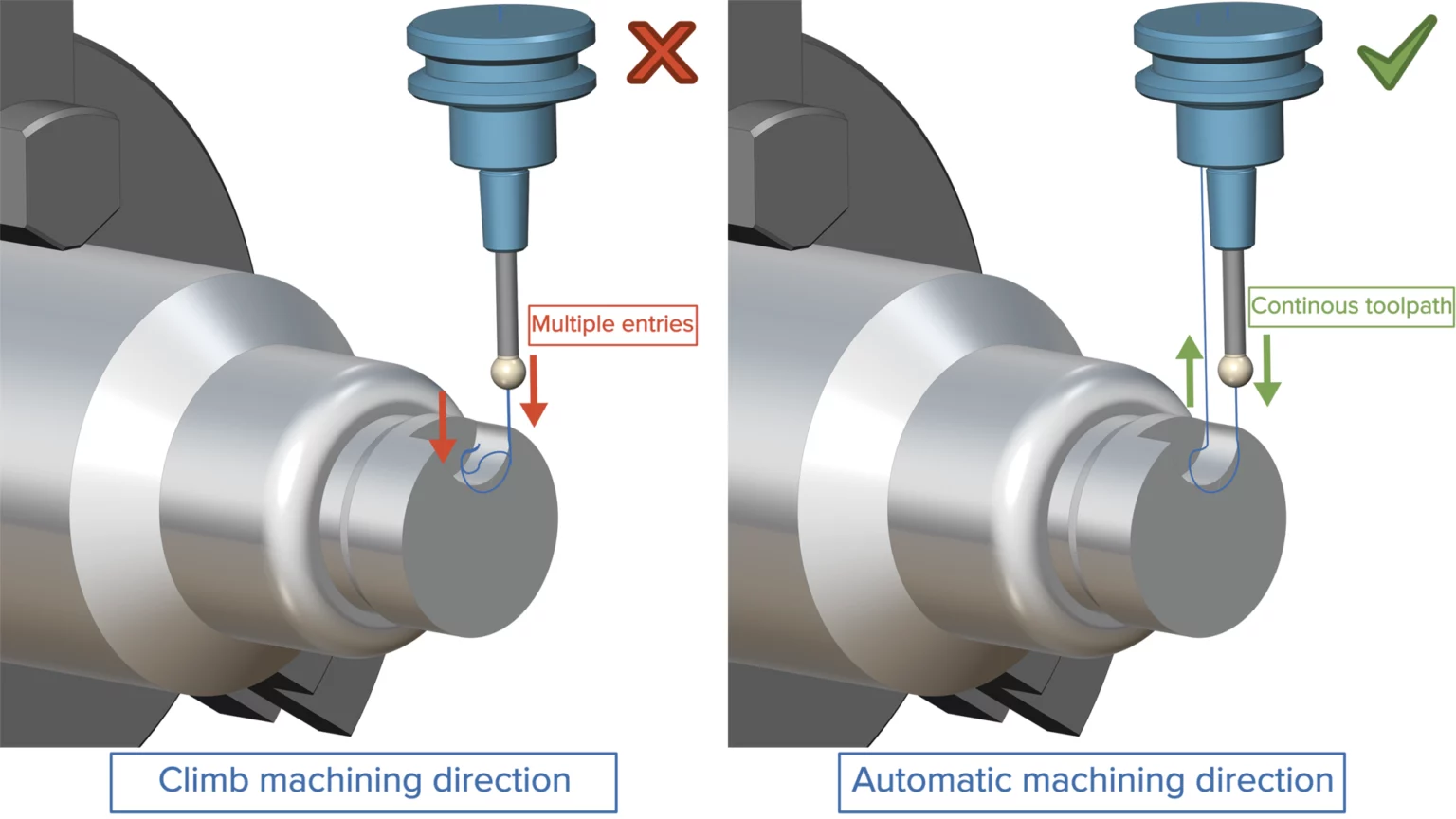
Automatic Machining DirectionPreviously, determining the appropriate machining direction for 3- and 4-axis toolpaths often led to suboptimal ordering, resulting in discontinuous toolpaths.
ModuleWorks 2025.04 contains a new option called ‘automatic machining direction’ that takes the contour direction into account to ensure optimal ordering. This makes deburring toolpaths more user-friendly while also reducing the machining cycle time.
Special Parts - Multiblade
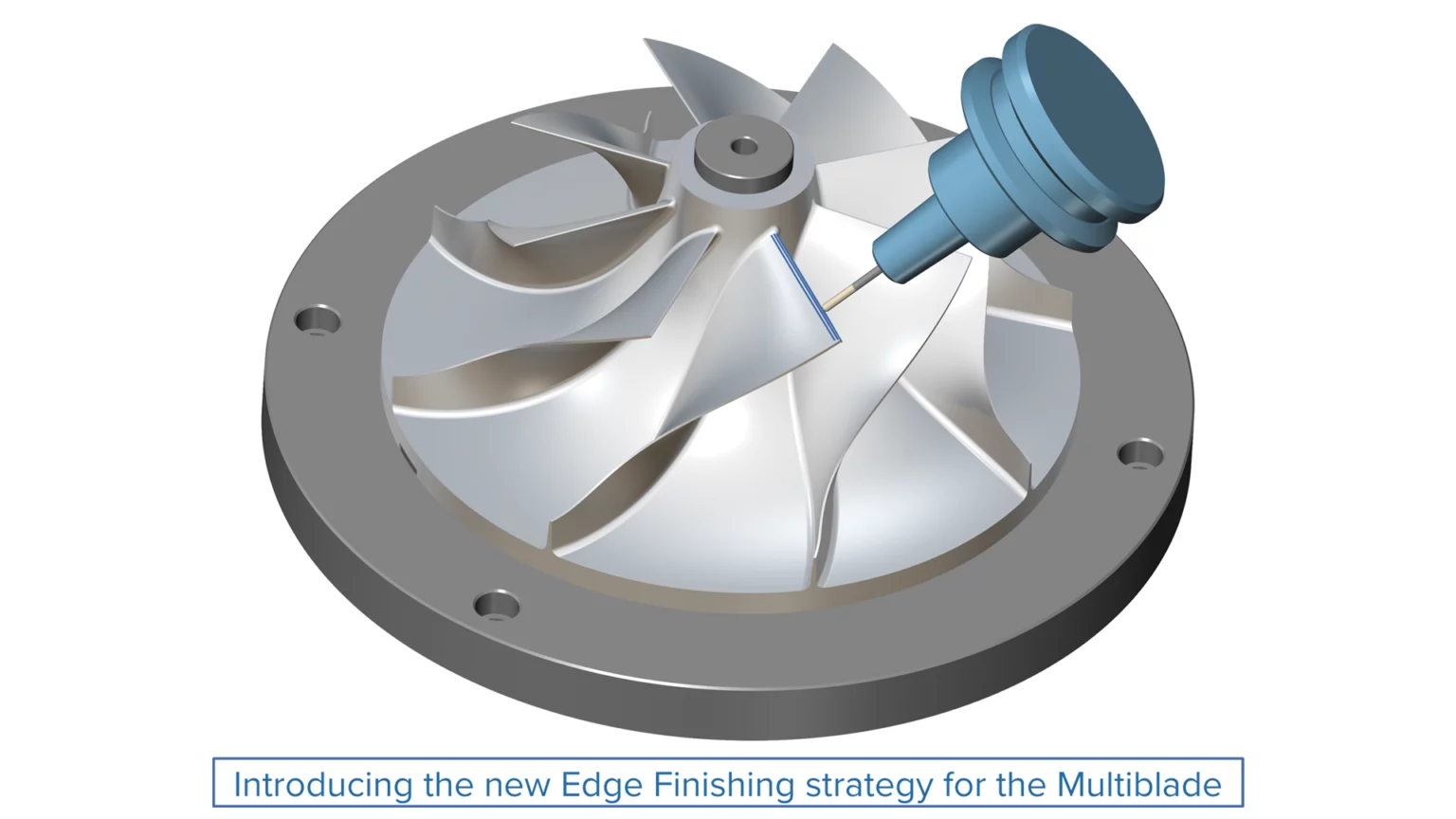
Edge FinishingUsers often struggle to prevent the tool from rubbing against the leading edge due to tilting and machine motion. Since the edge is thin, this may cause it to overheat.
ModuleWorks 2025.04 solves this problem by applying an extension, leaving offset material to be removed later. This strategy drives the tool longitudinally along the edge, effectively removing the extra material leftover from the previous operation without causing damage to the thin leading edge. This enhanced toolpath allows the part to be finished with the required surface quality and material integrity.
3-Axis Machining
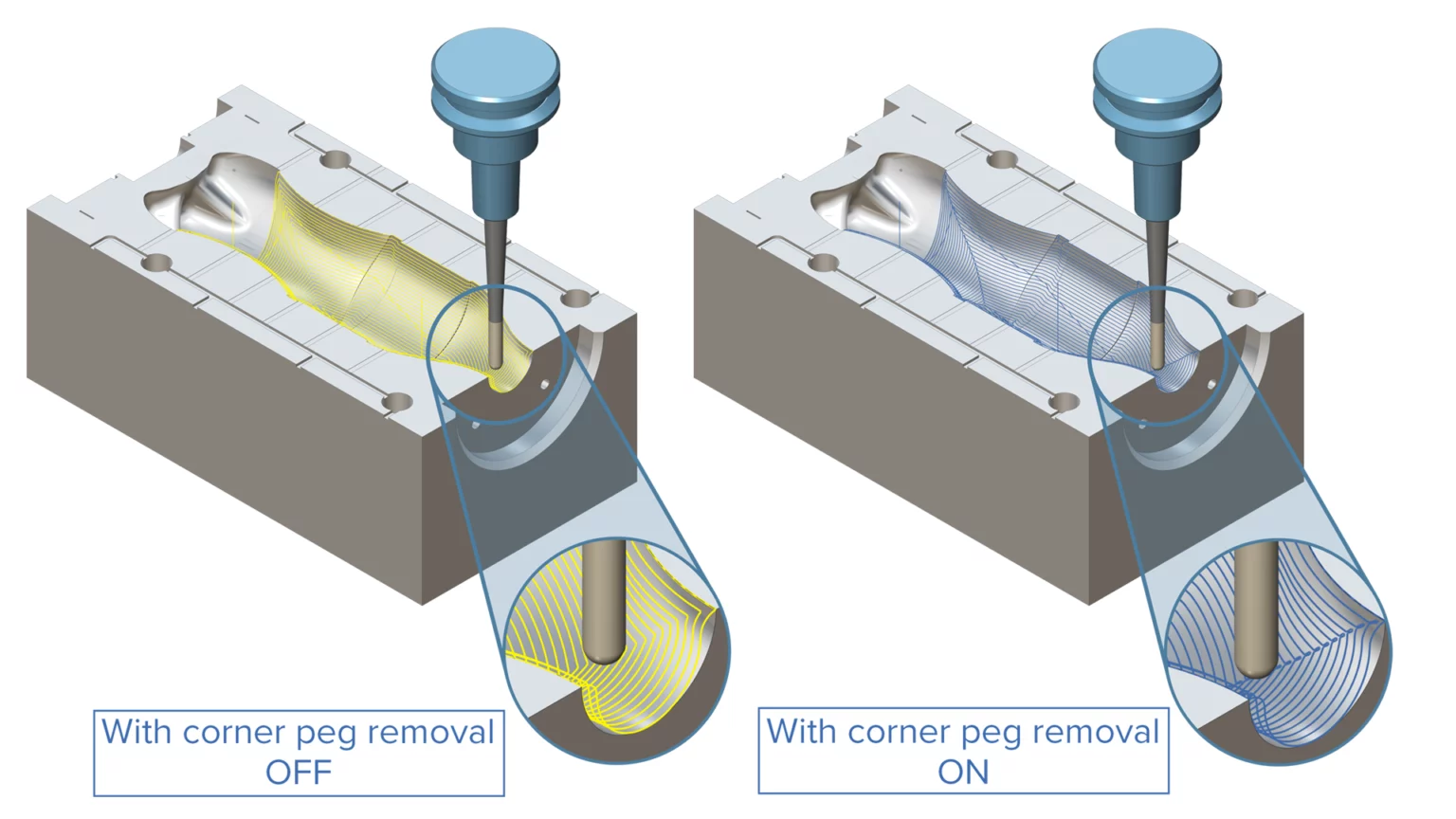
Corner Peg Removal for Constant CuspGenerating a consistent surface finish in corner regions is often hampered by pattern collapse and corner smoothing.
The ModuleWorks 2025.04 release introduces an intelligent Corner Peg Removal solution that tackles problematic cusps where the pattern collapses or corner smoothing shifts the toolpath. This new approach automatically adds strategic peg loops in corner areas, ensuring smooth, consistent results and minimizing the need for manual polishing.
Simulation SDK – Cutting Simulation
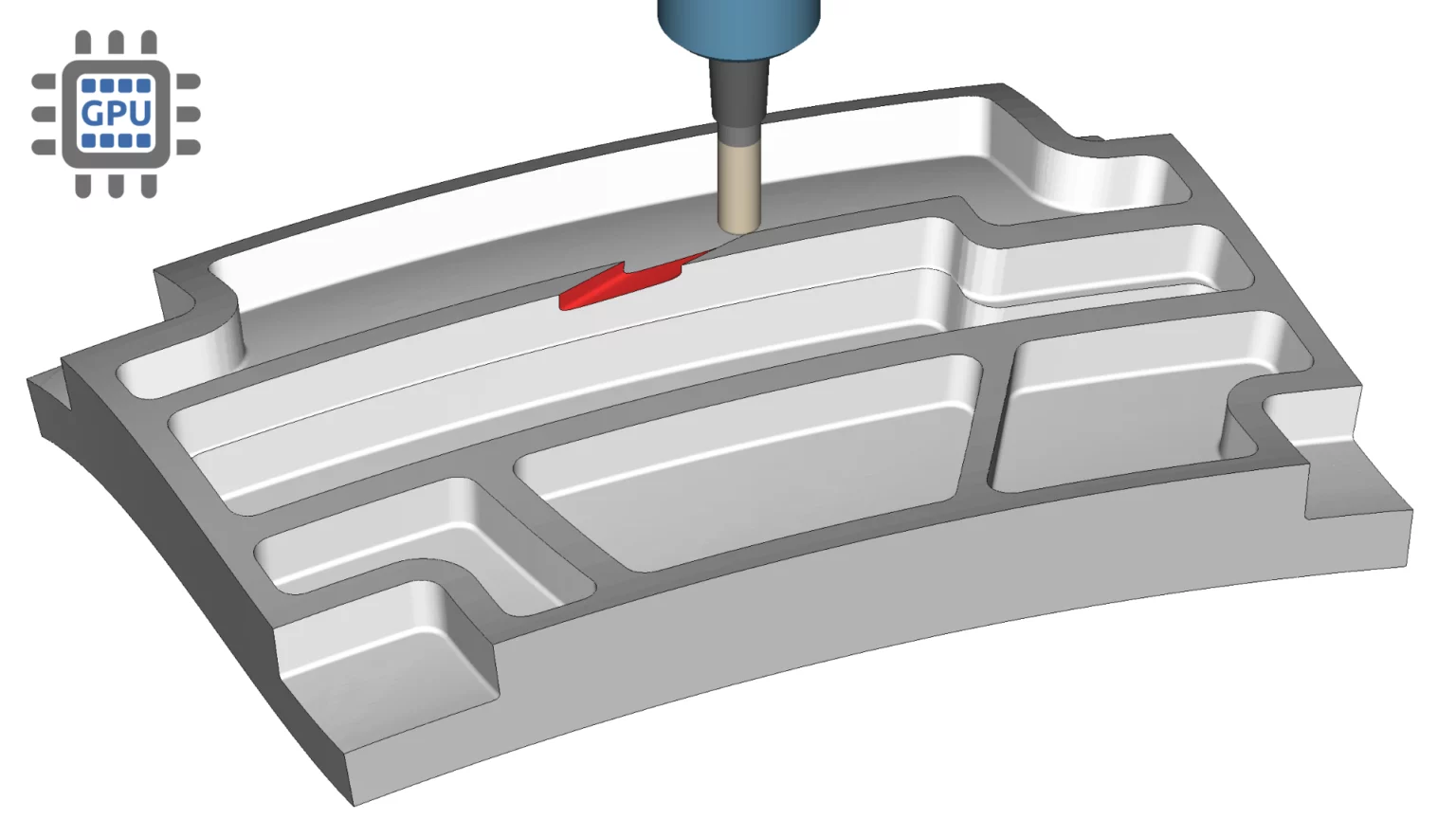
GPU-Accelerated Collision CheckingSimulating material removal while checking for potential tool collisions with the in-process stock is computationally intensive, causing the simulation to slow down in complex machining scenarios.
The ModuleWorks 2025.04 release offers enhanced simulation capabilities through GPU-accelerated simulation, which can now be used to optimize both material removal and collision checking. This feature increases the simulation speed, particularly for large-scale machining operations, while ensuring precise collision detection.
Source: https://www.moduleworks.com/moduleworks-releases-2025-04-software-components/
Read also:
- Hexagon revolutionises CAM programming with Swiss machining and AI-powered automation
- New AI-powered feature detection by Cimatron automates CAD/CAM processes
- Siemens brings new immersive collaboration, electro-mechanical workflows and new AI-enabled design capabilities to NX
- New Cimatron software for stamping die cost estimation eliminates guesswork for a competitive edge
- Cimatron takes the complexity out of cooling system design
- Hexagon partners with Microsoft to redefine manufacturing with cloud technology
- Universal Robots launches UR Studio
- PTC Releases Cloud-Native CAM Studio in Onshape
- Mastercam Highlights Everpath Technology as a Core Engine for Advanced CNC Machining
- CloudNC Brings AI-Powered CAM Assist to GibbsCAM