
Digital Manufacturing News & Events
ENCY Software Unveils Update 1.0.6 for Its CAD/CAM/OLP Solutions
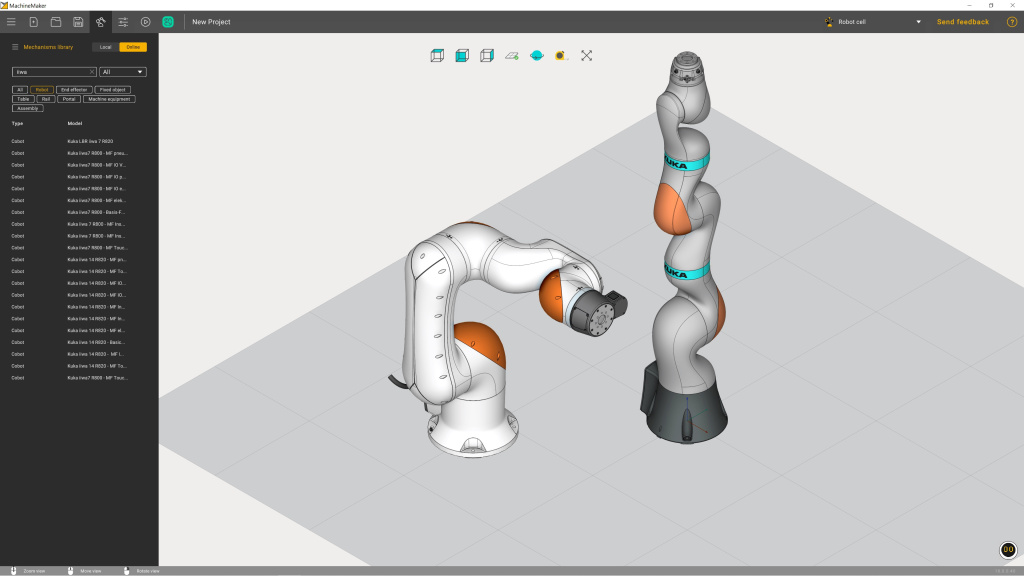
Support for 7-Axis Robots in ENCY Robot
The latest update introduces support for 64 KUKA сobots in ENCY Robot, including both 7-axis and 6-axis SCARA robots, such as KUKA iiwa and KUKA LBR. This expansion enhances the software’s capabilities in robotic programming, providing greater flexibility for automation tasks.
Enhancements in the Online Project Library
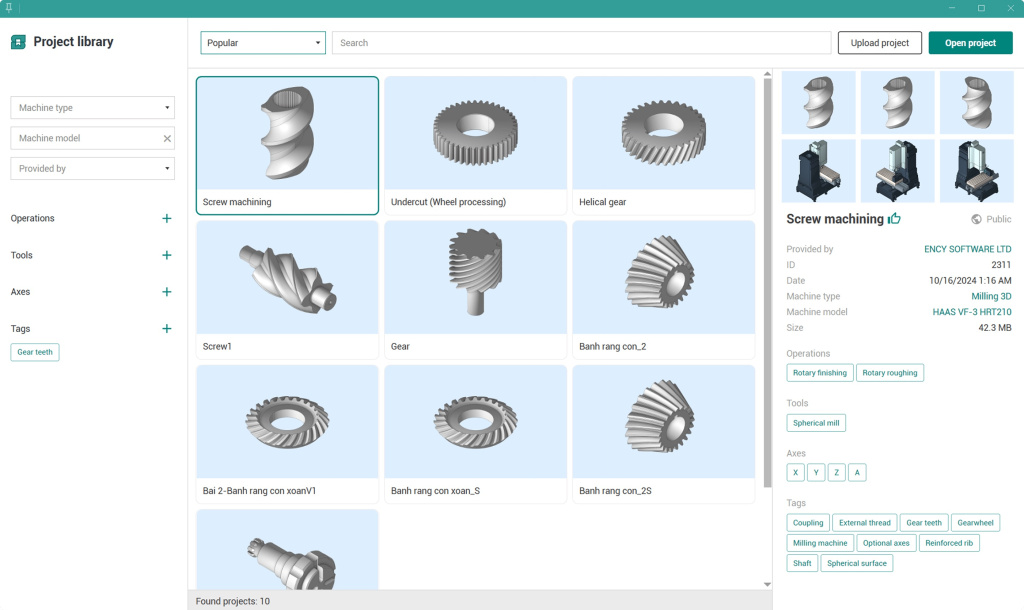
- Tagging for Public Projects: A new AI-powered tagging system has been introduced to improve searchability within the online Project Library. With over 400 projects available, users can now filter results more effectively. For example, applying the Statue tag will display machining projects related to statues.
- Automated AI Tagging: AI now assigns relevant tags not only to existing projects but also to newly uploaded ones, ensuring better organization and more accurate search results.
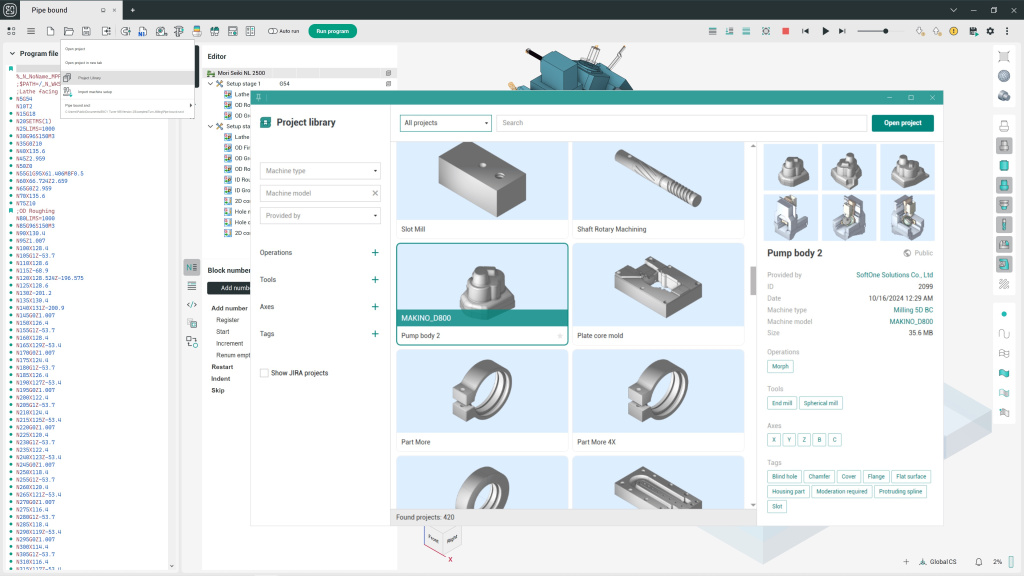
Project Library Now Available in ENCY Tuner
The Project Library feature, previously available only in other ENCY products, has been added to ENCY Tuner.
New Features in ENCY Clouds
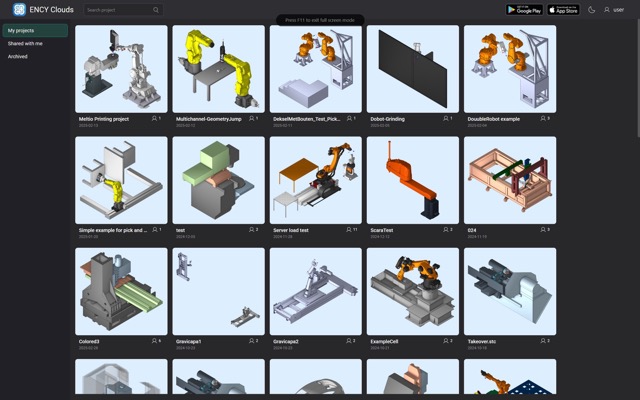
- Integrated Screen Recording: ENCY Clouds now allows users to record their screens directly from ENCY or ENCY Robot without requiring third-party software. Recordings are stored in a compact format with audio support and can be accessed with just a few clicks.
- Browser-Based Project Opening: Projects can now be opened directly in ENCY, ENCY Robot, or ENCY Tuner from a browser, improving workflow efficiency.
- Webpage Redesign: The ENCY Clouds interface has been updated for better navigation, making it easier to locate both personal and shared projects.
Usability Improvements in ENCY 1.0.6: Enhanced Precision and Interface Updates
- In the 6D Contour operation, the 5D Curve task now displays the arbitrary vector angle with a precision of up to two decimal places.
- Updated Smarthints for approach/retract parameters, thread-cutting operations, and part transfer processes, providing clearer guidance.
- Redesigned the Tool Reach Inspector interface and expanded its functionality for better tool management.
- The “Delete chips” parameter is now enabled by default for Part-off with takeover operation.
- Users can now interactively move tools on any tab of the Operation Properties inspector within the Machining window, improving workflow flexibility.
- Updated operation export data and introduced a revised operation export file format to enhance compatibility and data accuracy.
The update addresses multiple stability and functionality issues. Key fixes include resolving errors related to project saving, licensing activation, and report generation. Improvements were made in visualization, tool orientation data, multi-channel robotic processing, and NC Tuner interface elements. Additionally, issues in various machining operations, postprocessor generator, and CAD module functions were corrected, ensuring a smoother and more reliable user experience.
Note: The 1.0.6 update is available to all users with an active annual support contract (SMC).
Source: https://encycam.com/news/ency-software-unveils-update-1-0-6-for-its-cad-cam-olp-solutions/
Read also:
- ModuleWorks 2024.04 Release Now Available
- OPEN MIND Releases hyperMILL® 2025
- Mastercam 2026 Delivers Superior Machining Performance with Advanced Productivity Tools and AI-enabled CAM Intelligence
- Mastercam Copilot in Mastercam 2026.R2: Faster Commands, Smarter Automation and Hands-Free Programming
- BricsCAD V25.2: New Features and Enhancements
- Autodesk Launches AutoCAD 2026 with Up to 11× Faster Performance, AI-Driven Blocks, and Enhanced Collaboration
- Mastercam 2026 Public Beta: 4 Features to Explore
- Hexagon unveils EDGECAM 2025.1 with smarter automation, advanced finishing cycles, enhanced simulation and secure cloud connectivity
- Siemens NX for Manufacturing 2512: Cloud-Enabled Workflows, AI Automation, and Shop-Floor Collaboration Enhancements
- GO2CAM V6.12 – innovations and AI serving machining